LOCKTIGHT FOR MACOS
Lock your apps.
Keep your privacy.
LockTight puts a password between your apps and anyone using your Mac.
Photos · Messages · Mail · Notes · Finance apps · Work apps
Requires macOS 13 or later · Notarized by Apple · Not on the Mac App Store
OVERVIEW
One password.
Protect all your apps.
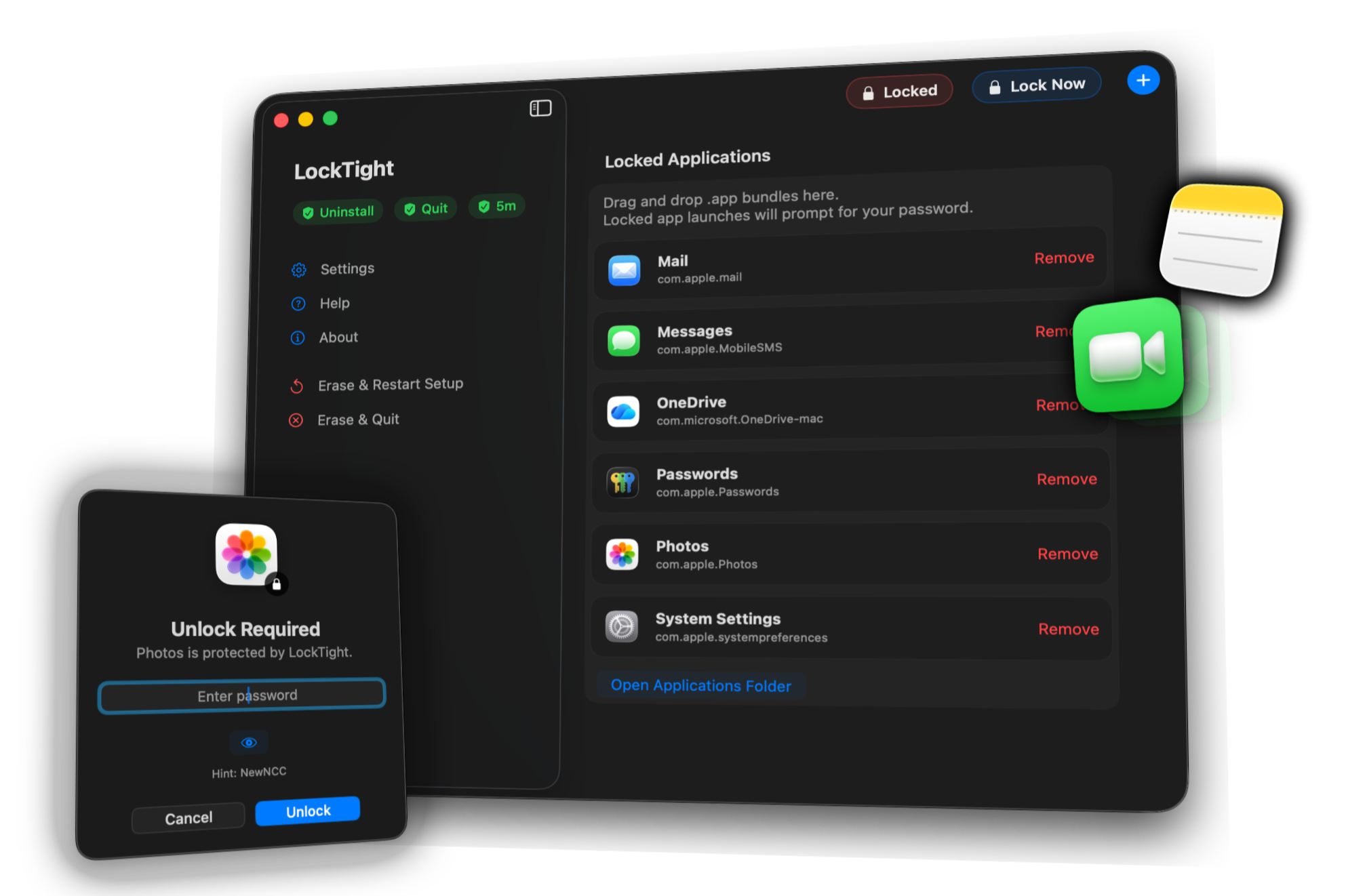
No config files, no terminal commands. Just your master password standing between anyone and your protected apps.
BUILT FOR MACOS
Native where you
need it.
LockTight follows your system appearance and lives where you already look — the menu bar and the Dock — so locking and unlocking never means opening the app. Backup and auto-save your setup.
FLEXIBLE LOCKING
Choose when your
apps lock.
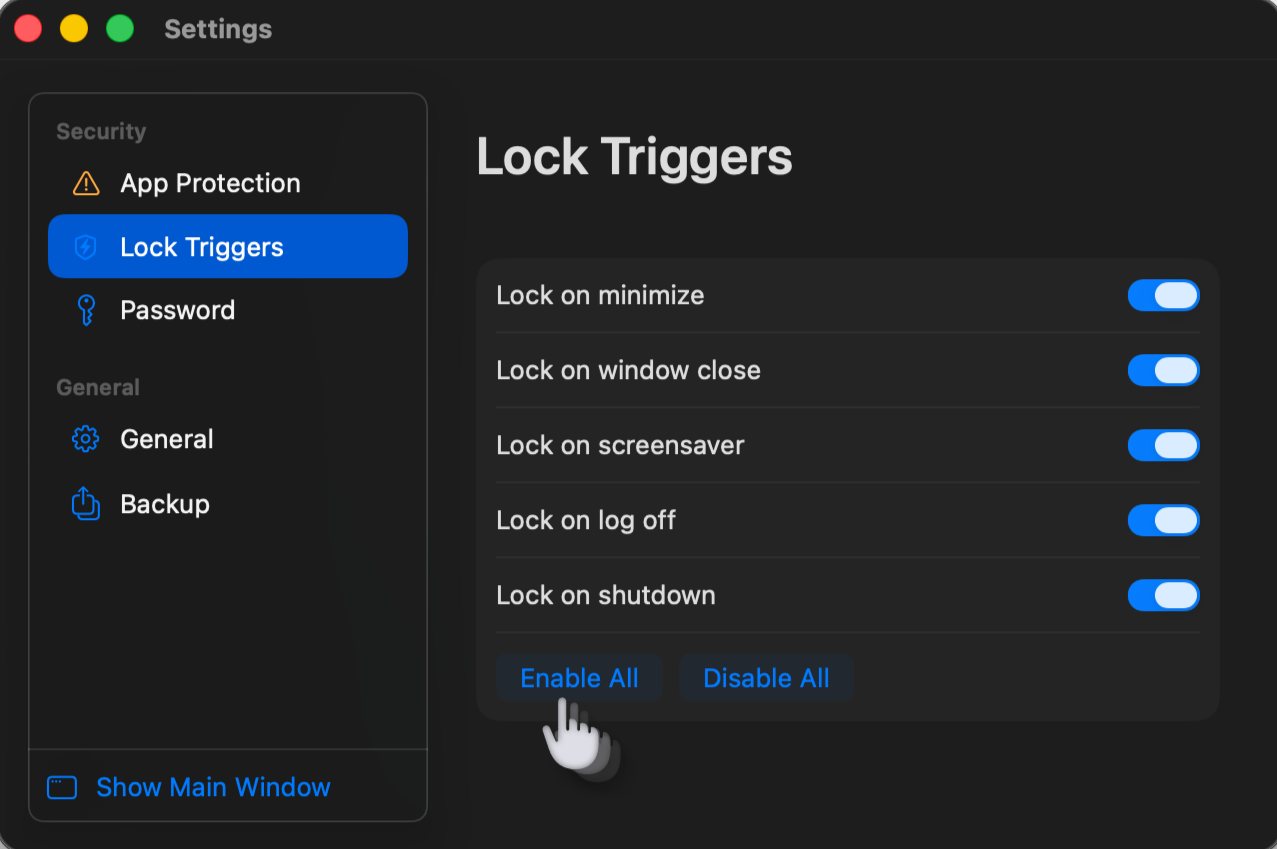
Turn on whichever combination feels right, built and laid out like System Settings because it's made the same way.

SELF PROTECTION
LockTight protects
itself too.
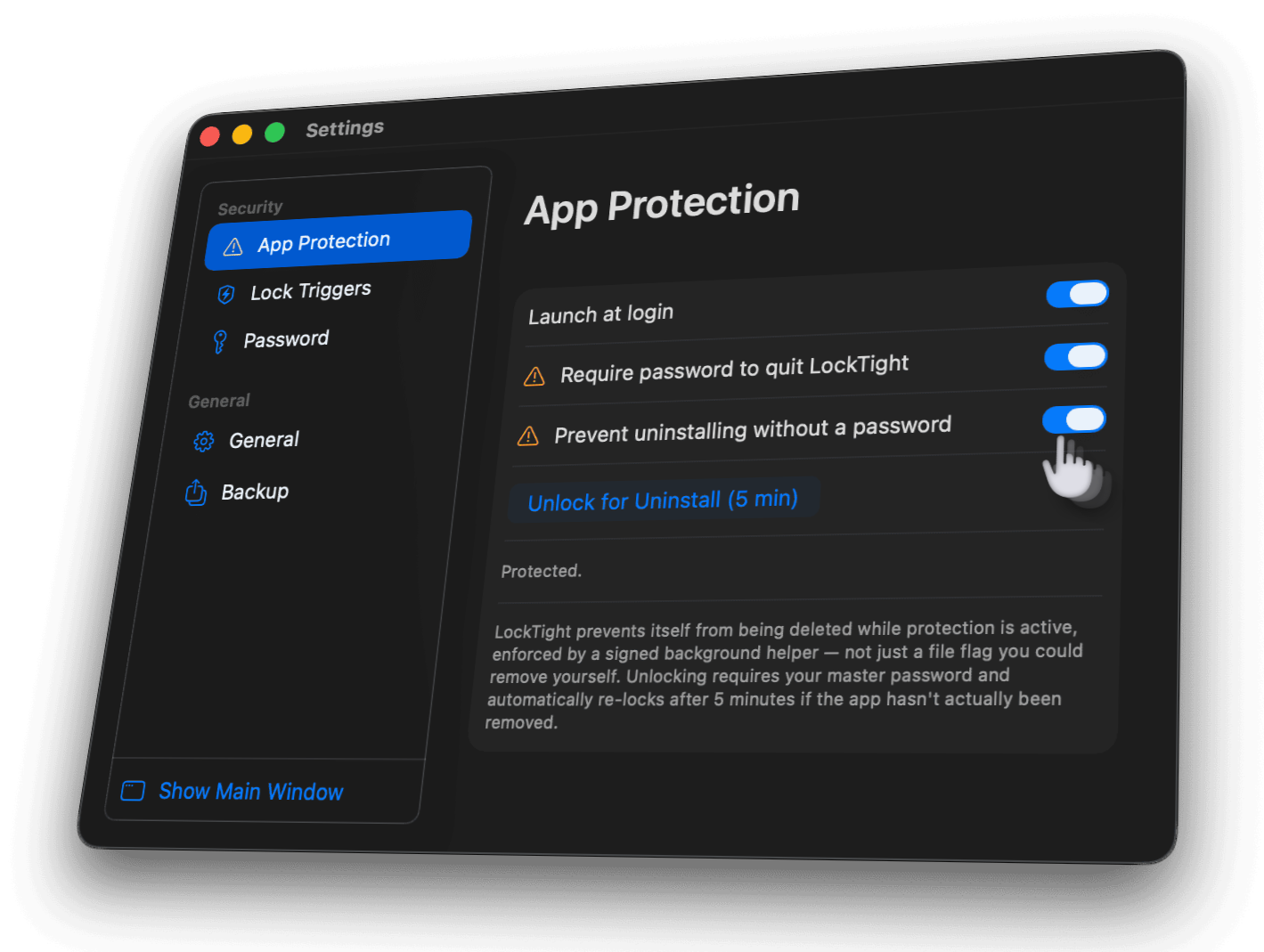
When self-protection is enabled, LockTight can’t simply be deleted or disabled. Turning protection off requires your master password.
PRIVACY
Nothing about your password leaves your Mac.
No account. No cloud sync. No analysis. Verification happens on-device, every time.

COMMON QUESTIONS
Useful answers.
SUPPORT
Ask Anything.
LockTight is currently in development. Watch this space for release updates and use the contact form for information requests.
Bug reports, feature ideas, or questions before release — it all comes straight to us. We aim to respond in 48 hours.
LockTight is developed by Michael Edwards
All rights reserved © 2026Check out our other macOS apps:



LockTight Privacy Policy.
Effective date: 5 September 2026LockTight is designed to work entirely on your Mac.
This policy explains, in plain terms, what that means in practice — what LockTight collects (almost nothing), what it stores locally, what permissions it needs and why, and how to reach us with questions. It's written to meet the disclosure expectations of Apple's App Store Connect / App Review Guidelines (5.1.1 Data Collection and Storage, and 5.1.4 Kids), even though LockTight is currently distributed directly rather than through the Mac App Store.
Summary
Data collected by the app and sent to us: none. Data stored, but only locally on your Mac: your password verifier and hint, your protected-apps list, your lock-trigger settings, and a device-only Keychain item used for Touch ID. Data you may choose to share with us directly: your name, email, and message, only if you use the Support form — which sends an email from your own Mail app, not from within LockTight. No analytics, advertising, or third-party tracking SDKs are included in the app.Information we collect
LockTight does not collect personal data through the app itself, does not create user accounts, and does not use analytics, tracking, or third-party telemetry. The only information that reaches us is what you choose to send yourself, such as a support email.Data stored on your device
A salted, one-way verifier derived from your master password (never the password itself), your optional password hint, your protected-apps list and lock-trigger settings, whether self-protection is currently on, and a device-only Keychain item for Touch ID. None of it is synced to iCloud or made available to anyone but you.Permissions LockTight uses, and why
LockTight is not sandboxed because blocking launches of protected apps requires monitoring other running applications, which the App Sandbox does not permit — this is why it's distributed directly rather than through the sandboxed Mac App Store environment. A privileged helper daemon, installed with your permission, enforces uninstall protection by watching the LockTight.app bundle; it does not read your files or personal data. Touch ID/Keychain access is used only to gate unlocking, and always requires your master password to enable.Data sharing and third parties
We do not sell, rent, or share any data, because we don't have any to share. LockTight contains no third-party analytics, advertising, or tracking SDKs of any kind.Data export and backup
Exported settings include your general settings, lock triggers, and protected-apps list. Your master password is never included in an export — importing a file always requires unlocking with your current password first.Data retention and deletion
Because nothing is collected by us, there is nothing on our side to retain or delete. On your Mac, use Reset (requires your master password) to clear stored settings, or remove the app to delete its local preferences and Keychain item.Children's privacy
LockTight is a general-audience utility and is not directed at children. In line with COPPA and Apple's children's-privacy guidelines, we do not knowingly collect personal information from children under 13, and LockTight collects no personal data automatically from users of any age. If a parent or guardian believes a child has provided us information through the Support form, contact us below and we will promptly delete it.Your rights
Because LockTight keeps your data on your own device, you're already in control of it: view, export, or delete it at any time from within the app. If you've contacted support directly, you may ask us to access, correct, or delete that correspondence at any time.Security
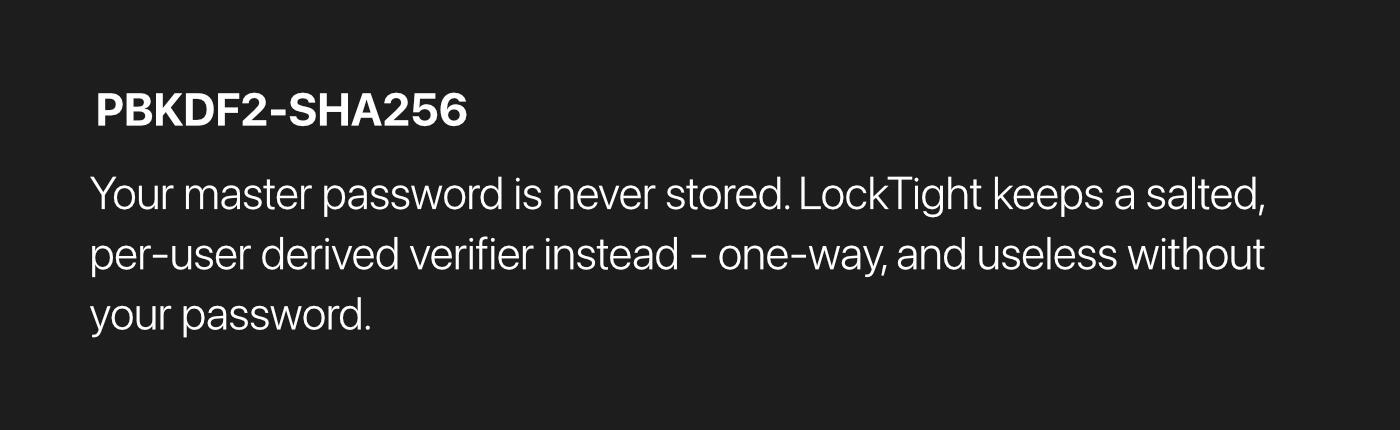
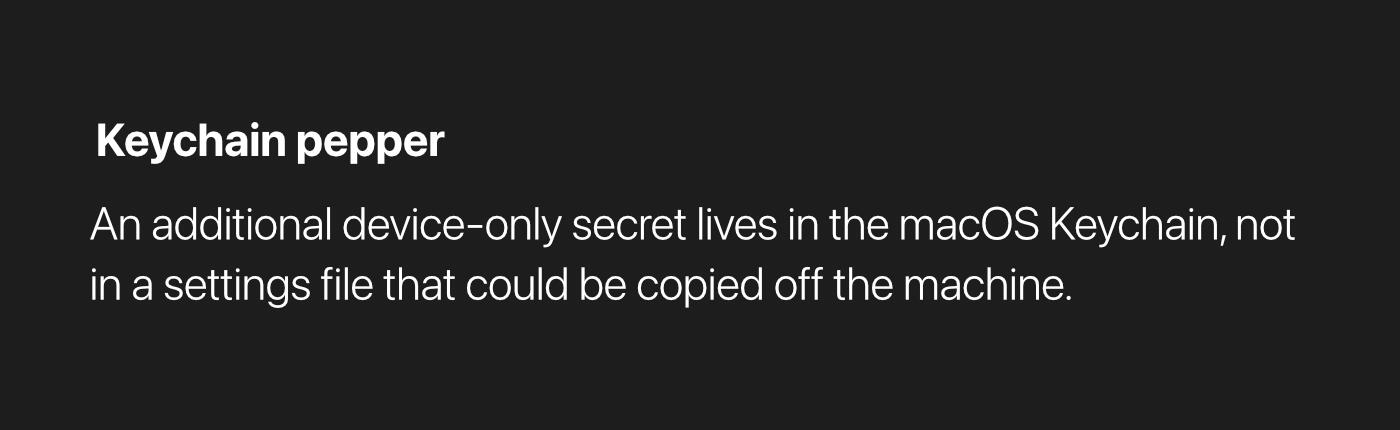
Your master password is verified using PBKDF2-SHA256 with a per-user salt and is never stored in plaintext. An additional device-only Keychain-backed pepper protects against offline attacks on an exported settings file. Resetting LockTight, enabling Touch ID, or turning off self-protection always requires re-entering your master password.Changes to this policy
This policy may be updated in future versions, with material changes reflected by a new effective date above and, where appropriate, noted in release notes.Contact
> Developer: Michael Edwards
> Contact Form: support@locktight [We aim to respond within 48 hours]
> Website: LockTight

PRICING
Ready to lock things down.
No subscription. One-off purchase, yours across every Mac on your Apple Account.
LOCKTIGHT FOR MACOS
$4.99
One-time purchase
Unlimited stacks
Password-protected stacks
Transparency and hue controls
Global keyboard shortcuts

Requires macOS 13 or later. Direct download, notarized by Apple — not available on the Mac App Store. Price shown in US dollars.